Friends of Notion


Templates that (truly) work


Get 40%-off all premium templates.
Discount auto-applied at checkout.
Limited availability.

There’s a new view in town — and I’m pumped.
Notion just dropped the Feed view, and it opens up a whole new world of possibilities.
So, what is Feed view?
It’s a vertically scrollable layout that shows a large content preview beneath each page title. See how I’m already using it for my other newsletter, Make With James ↓
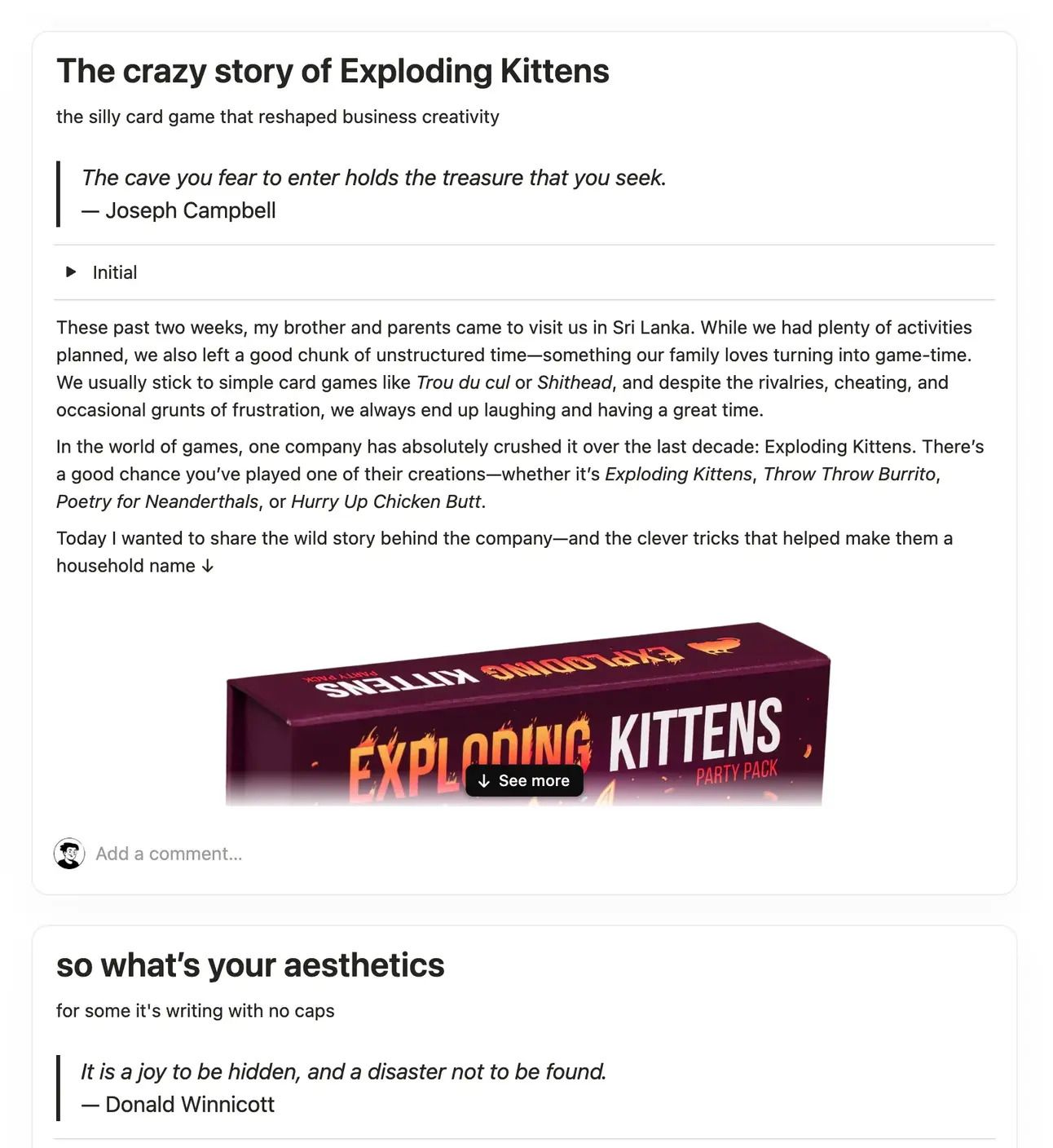
You scroll to navigate, and you’ve got two options for diving deeper:
→ Click the black ↓ See more button to expand the preview
→ Or click the page title to open it fully.
You can also display properties, which will appear horizontally in your specified order. Simply access property visibility in the database settings, just as you would with other view types.
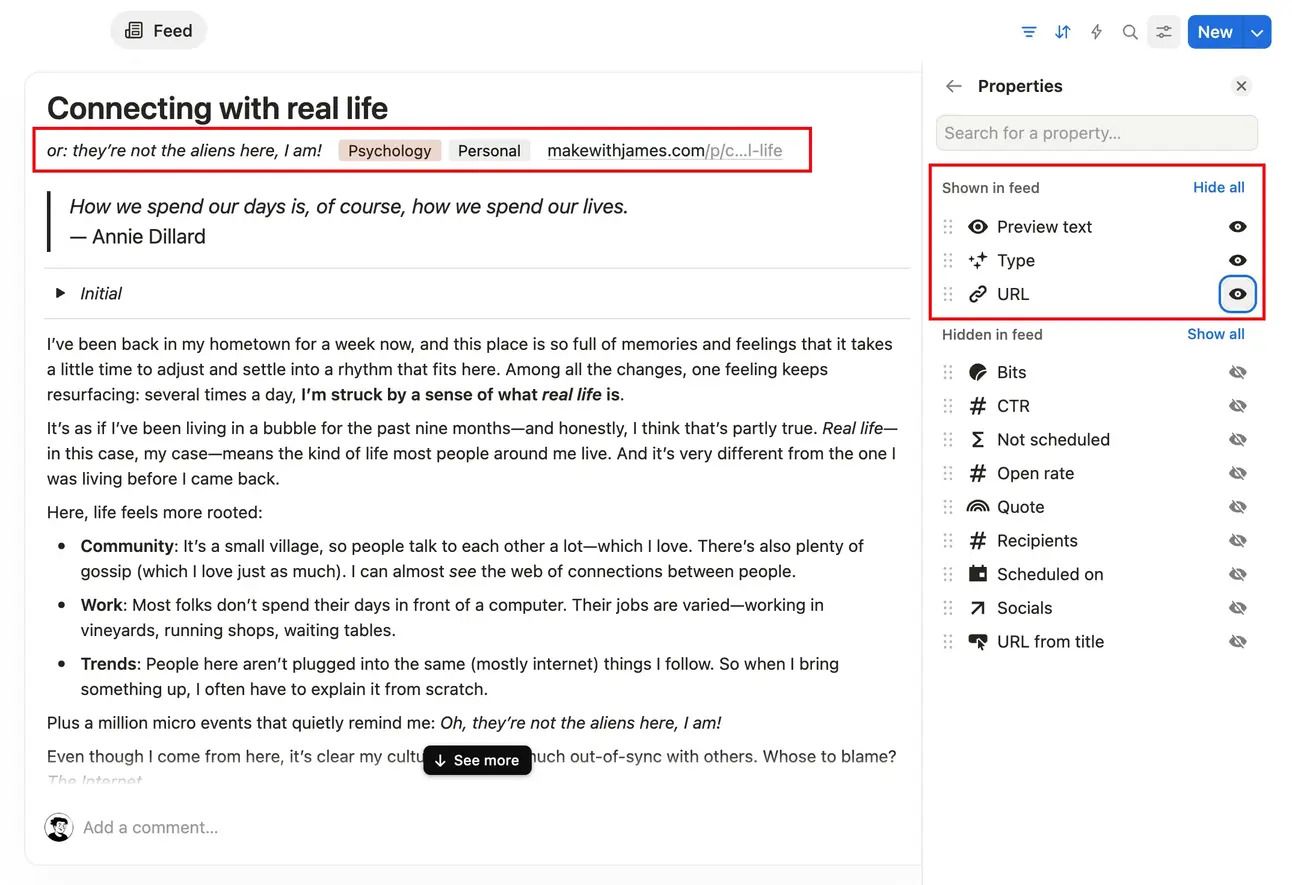
In the layout settings, you can:
The most obvious use case is a blog. But I'm excited to see all the creative, unexpected ways people will use it 😉


This site is not a part of the Facebook website or Facebook Inc. Additionally, This site is NOT endorsed by Facebook in any way. FACEBOOK is a trademark of FACEBOOK, Inc.
hello@ramesquinerie.com