Friends of Notion


Templates that (truly) work


Get 40%-off all premium templates.
Discount auto-applied at checkout.
Limited availability.

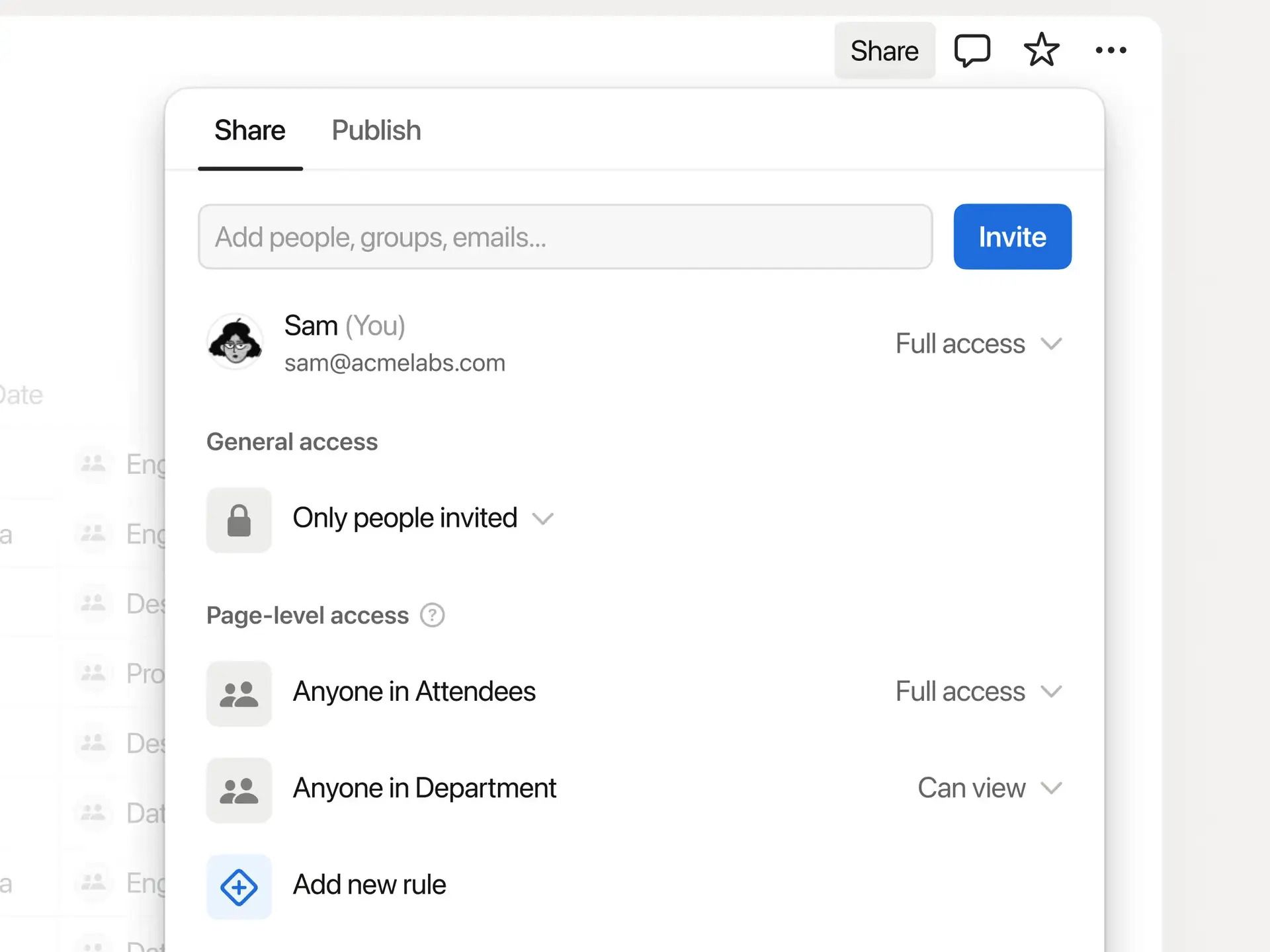
While agents were the star of the general show, the star of MY show was… database row permissions! Why? Because it's the #2 most requested feature of all time, after offline mode. Personally, it was even #1 for me as it prevented so many potential clients from switching to Notion.
What does it do? Well, we’re now able to grant permissions by database row. The person assigned to those database pages won’t be able to see the rest of the database.
Why this matters
Example — client tasks (before → now)
This is huge, especially for companies like agencies who want to create client portals for all their clients but keep everything centralized in their backend.
How to use it?
ShareAdd a new rule
Worth to note that this feature is only available on the Business or Enterprise Plan.


This site is not a part of the Facebook website or Facebook Inc. Additionally, This site is NOT endorsed by Facebook in any way. FACEBOOK is a trademark of FACEBOOK, Inc.
hello@ramesquinerie.com